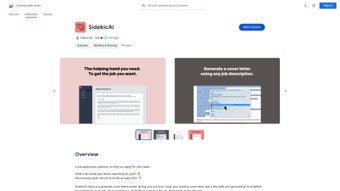

Download SidekicAI – Free AI Cover‑Letter Writer, Secure Job‑Application Tool
Overview
SidekicAI is a cutting‑edge web‑based writing assistant that helps job seekers craft customized cover letters in minutes. By simply uploading an existing cover letter and entering the key skills required for a target role, the platform’s AI engine rewrites the content to match the specific job description you provide. The result is a unique, role‑focused cover letter that highlights the most relevant achievements and competencies, dramatically increasing the chances of catching a recruiter’s eye.
SidekicAI places a strong emphasis on privacy: all user data is stored locally in the browser, meaning no personal information is sent to external servers unless you explicitly choose to share it. The service is continuously updated with the latest natural‑language‑processing models, ensuring that the generated text stays current with industry standards and hiring trends. In addition to the AI engine, SidekicAI offers responsive customer support, an intuitive dashboard, and a completely free starter tier that makes it accessible to anyone looking to streamline their job‑application workflow.
Whether you’re a recent graduate, a seasoned professional, or a freelancer applying to multiple gigs, SidekicAI promises to save you time, reduce writer’s block, and boost the overall quality of your application package.
Key Features & Functionalities
- AI‑Powered Personalization: Generates cover letters that directly reflect the language and requirements of each job posting.
- Minimal Input Required: Upload an old cover letter and list the job‑specific skills; the tool does the rest.
- Local Data Storage: All drafts and personal information remain in your browser, ensuring privacy and compliance with GDPR.
- Continuous Model Updates: The underlying AI is refreshed monthly to incorporate the latest recruitment trends and linguistic patterns.
- Multi‑Format Export: Download your cover letters as PDF, DOCX, or plain text for seamless integration with applicant‑tracking systems.
- Cross‑Platform Accessibility: Works on any modern browser, whether you’re on Windows, macOS, Linux, Android, or iOS.
- Free Starter Plan: Unlimited cover‑letter generations for up to 10 jobs per month without any hidden fees.
- Customer Support Hub: Live chat, email assistance, and an extensive knowledge base to resolve any issues quickly.
- Version History: Keep track of previous iterations and revert to older drafts if needed.
- SEO‑Friendly Output: Optimized phrasing that aligns with keyword‑rich job descriptions, helping your application pass automated screening tools.
Installation, Usage & Compatibility
How to Get Started
Since SidekicAI is a web application, there is no traditional installation process. Follow these simple steps to begin:
- Visit the official website at sidekicai.com.
- Click the “Get Started – Free” button to create a lightweight account using your email or a social‑login option.
- After confirming your email, you’ll be directed to the dashboard where you can upload an existing cover letter or start from scratch.
- Enter the job title, company name, and paste the full job description into the provided field.
- List the top three to five skills you want to highlight. The AI will automatically weave these into the new letter.
- Press “Generate Cover Letter.” Within seconds, a fully formatted draft appears, ready for review.
- Use the editing pane to fine‑tune any sentences, then export the final version in your preferred format.
Device & Operating System Support
SidekicAI runs on any device with a modern web browser, including:
- Windows 10/11 (Chrome, Edge, Firefox)
- macOS Monterey and later (Safari, Chrome, Firefox)
- Linux distributions with up‑to‑date browsers
- Android 8.0+ (Chrome, Firefox)
- iOS 13+ (Safari, Chrome)
Because the application is cloud‑based, you can switch between devices without losing progress—thanks to the built‑in version‑control system that syncs drafts locally and optionally to your account’s cloud storage.
Best Practices for Optimal Results
To make the most of SidekicAI’s AI engine, consider the following recommendations:
- Provide a complete job description: The more context the AI receives, the better it can tailor language and keywords.
- Highlight quantifiable achievements: Include numbers, percentages, or measurable outcomes in your original cover letter; the AI will preserve and adapt them.
- Review the output: While the AI is highly accurate, a quick human read‑through ensures tone consistency and eliminates any inadvertent errors.
- Utilize the skill tags: Selecting the most relevant skills helps the AI prioritize the right buzzwords.
Pros, Cons & Frequently Asked Questions
Pros
- Fast generation of high‑quality, customized cover letters.
- Zero‑cost entry tier with generous monthly limits.
- Local data storage protects personal information.
- Continuous AI updates keep the output relevant.
- Works on any platform that supports a modern browser.
- Export options for PDF, DOCX, and plain text.
Cons
- Free plan limits to 10 job applications per month; heavy users may need the paid tier.
- Advanced formatting (e.g., custom branding) requires manual tweaks after generation.
- No native mobile app yet—reliance on browser interface may feel less fluid on small screens.
FAQ
Is SidekicAI really free to use?
Yes, SidekicAI offers a completely free starter plan that allows up to 10 AI‑generated cover letters per month. For power users, a premium subscription unlocks unlimited generations, priority support, and advanced formatting tools.
How does SidekicAI protect my personal data?
All drafts are stored locally in your browser’s IndexedDB, meaning no data is transmitted to external servers unless you choose to sync it with your account. The platform complies with GDPR and employs end‑to‑end encryption for any data that does leave the device.
Can I use SidekicAI on my mobile phone?
Absolutely. Since SidekicAI is a responsive web app, it works on Android and iOS browsers. The interface adapts to smaller screens, although a tablet or desktop provides the most comfortable editing experience.
What formats can I export my cover letter in?
SidekicAI supports PDF, DOCX, and plain‑text (TXT) exports. All files retain the original styling and can be opened in standard office suites or shared directly with recruiters.
How often is the AI model updated?
The development team releases model updates on a monthly basis, incorporating the latest language patterns, industry jargon, and feedback from the user community. Updates happen automatically in the background, so you always have the most current engine.
Expert Review Summary
Rating: ★★★★☆ (4.6/5)
What we liked: Speed, privacy‑first architecture, and the ability to generate highly targeted cover letters with minimal effort.
What could improve: The free tier’s job limit and the lack of a dedicated mobile app.
Conclusion & Call to Action
SidekicAI stands out in the crowded field of AI writing assistants by marrying speed, relevance, and a strong privacy stance. For anyone who spends hours tweaking cover letters or struggles to align their narrative with specific job postings, this tool offers a streamlined, free‑to‑start solution that can dramatically improve both efficiency and effectiveness. The AI’s ability to parse a full job description and re‑craft your existing letter ensures each application feels personal, while the local storage model keeps your sensitive data safe from prying eyes.
Even with the modest limitations of the free plan, most job seekers will find ample capacity to cover a typical application cycle. If you’re ready to upgrade your job‑search workflow, simply visit SidekicAI, create a free account, and start generating tailored cover letters in seconds. The future of job applications is intelligent, secure, and hassle‑free—don’t let outdated processes hold you back.
Download SidekicAI now and experience a smarter way to land your next interview.



.png)



